


Before you start
Groovy is currently in Early Access. These instructions are for the direct-download packages, not an app-store installation. Use a desktop computer with Chrome, Edge, Opera, Yandex Browser, or Firefox. Groovy is a browser extension, not a WordPress plugin or a website you open from a file.
There are two independent choices: Free or PRO decides which features you get; New Tab or Toolbar decides how you open Groovy.
1. Choose Free or PRO
Free: no payment or license key. All your browser bookmarks and folders, the first 20 automatic previews, your own covers, standard search, themes, and up to three saved widgets.
PRO: the same workspace with unlimited automatic previews and widgets, semantic search, AI folder organization, and PRO protection tools. Activate it using your purchase license key. OpenRouter usage is billed separately.
2. Choose how Groovy opens
New Tab + Toolbar
Press + beside your browser tabs.
Groovy is your new-tab page.
You can also use its extension icon.
Toolbar only
Click the Groovy extension icon.
Groovy opens when you ask for it.
Your usual new-tab page stays unchanged.
New Tab + Toolbar — “Show my bookmarks whenever I open a new tab.” Press the + beside your browser tabs and Groovy opens. You can also open it from its extension icon.
Toolbar only — “Keep my current new-tab page.” Nothing changes when you press +. Open Groovy only when you click its extension icon.
These are separate installations, not a setting you can switch inside Groovy. New Tab is not the same setting as the browser's startup pages or Home button.
For the current public downloads: Chrome and Edge offer New Tab and Toolbar. Firefox offers its own signed New Tab and Toolbar packages. Choose Toolbar for Opera and Yandex Browser. Download only a package listed for your browser; the file format alone is not a compatibility guarantee. A finished Safari release is not available.
Not sure? Choose Toolbar. It lets you try Groovy without changing your New Tab page. You only need one package, not every download in the list.
3. Download your package
Download Free from the Groovy Bookmark Manager product page. PRO downloads are available in your Gumroad library after purchase. Use the customer package, not a DEV PRO testing build.
On the product page, click Download Free, then choose your browser and launch edition. If you bought PRO, open your purchase library and download the matching PRO package. A filename ending in .zip is an archive that you must unpack first.
4. Unpack the ZIP — Chrome, Edge, Opera, Yandex
On Windows, find the download in File Explorer, right-click the ZIP, and choose Extract All…. Extract it to a permanent folder, for example C:\Groovy\BookmarkManager. Keep this folder: the browser will load the extension from it.
On macOS, double-click the ZIP to extract it, then move the extracted folder to a permanent location. On Linux, use your file manager's extract command.
Open the extracted folder and look for manifest.json. If you see another folder instead, open that folder. The correct installation folder contains manifest.json, usually alongside index.html and other files.
Do not open index.html. Do not select the ZIP itself. Reading the files is not the same as installing an extension.
5. Open your browser's Extensions page
Click the address bar at the top of the browser, paste the matching address below, and press Enter. Paste it into the address bar, not into Google search.
- Chrome:
chrome://extensions - Edge:
edge://extensions - Opera:
opera://extensions - Yandex Browser:
browser://extensions
6. Enable Developer mode, then load the folder
Turn on Developer mode on the Extensions page. In Chrome it is at the top right. This reveals extra buttons; it does not mean you need programming knowledge.
Click Load unpacked at the top left. In the folder picker, select the folder containing manifest.json, then confirm Select Folder or Open, depending on your operating system.
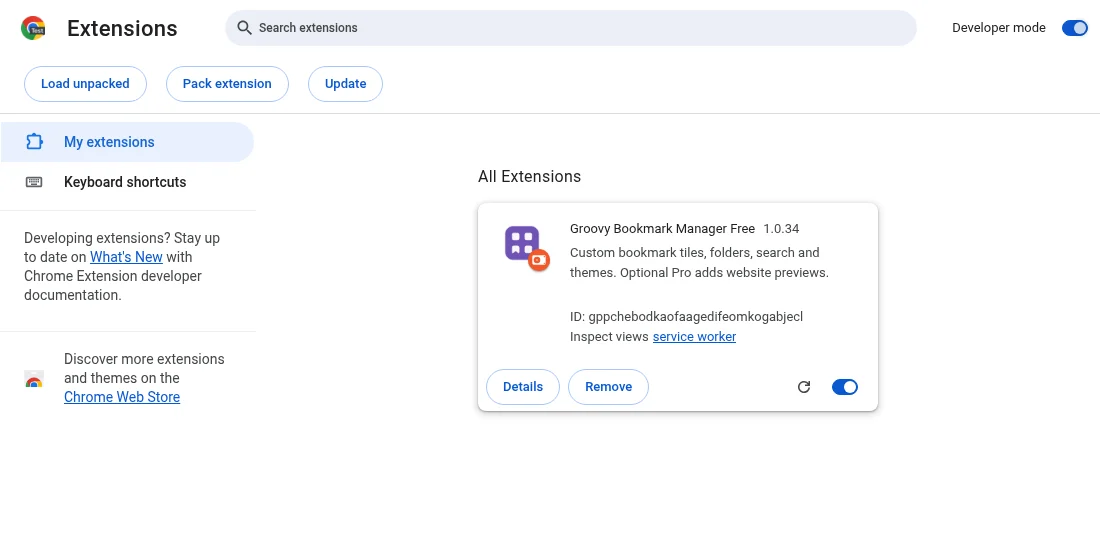
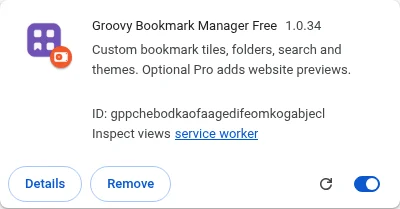
When installation succeeds, a Groovy card appears on this page. Keep its switch turned on. Remove uninstalls the extension; do not use it to update.
7. Open Groovy
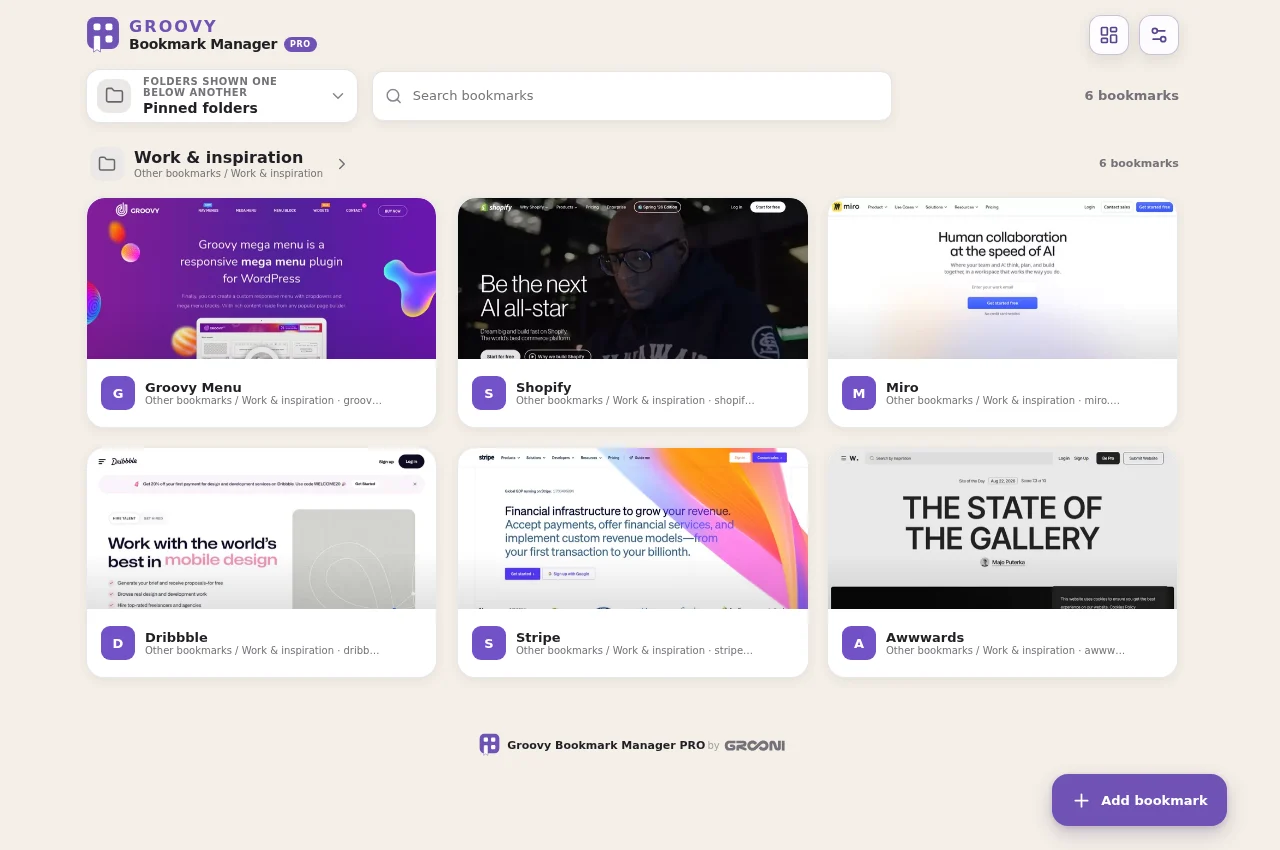
Click the puzzle-piece Extensions button near the browser's address bar. Find Groovy Bookmark Manager and click it. Pin it using the pin/show-in-toolbar control if you want its icon to stay visible.
If you chose New Tab, you can also click + beside your browser tabs. If you chose Toolbar, your normal new-tab page stays as it was — that is expected.
Allow bookmark access when Groovy asks. It will show the bookmarks already saved in this browser profile. No import is needed. PRO customers can now follow Activate PRO; Free needs no key.
Firefox: use the signed XPI instead
Choose the Firefox package in step 3. Firefox does not use Chrome's Load unpacked process.
Do not double-click index.html or open it through a file:// URL. The application needs extension APIs and must run as an installed extension.
- Use Firefox 142 or newer for the current customer packages.
- Extract the ZIP and locate the included Mozilla-signed
.xpifile. - Type
about:addonsin Firefox's address bar and press Enter. - Click the gear button, choose Install Add-on From File…, and select the extracted
.xpifile, not the ZIP. - Review the prompt and click Add.
- Open Groovy from Firefox's Extensions button or a new tab, according to your edition. Allow bookmark access when asked.
The signed customer XPI does not need Developer mode or temporary loading through about:debugging. Do not install an unsigned development package as a permanent customer installation.
If you get stuck
- Manifest file is missing: you selected the wrong folder. Open the extracted files, locate
manifest.json, and select the folder that contains it directly. - Blank page after opening index.html: close that file tab and install through the browser's Extensions page instead.
- No Groovy when pressing +: you may have installed Toolbar. Open it from its extension icon.
- No previews yet: allow previews in Settings and check the Free allowance. Bookmark access and website-preview consent are separate choices.
- PRO still locked: installation alone does not activate a paid license. Open Settings → PRO license and activate your key.
For updates, follow Updating safely. Never uninstall first just to update.