 Groovy Bookmark Manager
Groovy Bookmark Manager lets you see existing browser bookmarks at a glance with automatic previews, find anything by words or with PRO semantic search, get PRO folder suggestions, and stay focused with notes and Pomodoro.
 Groovy Bookmark Manager PRO
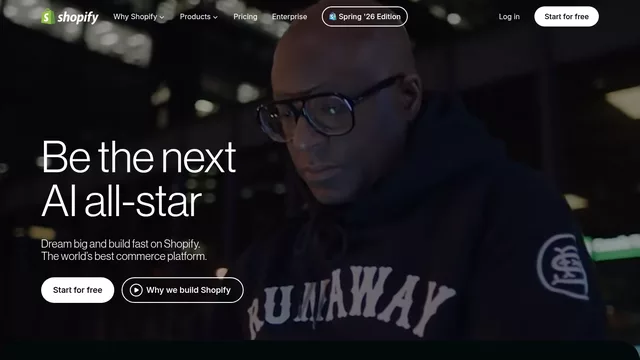
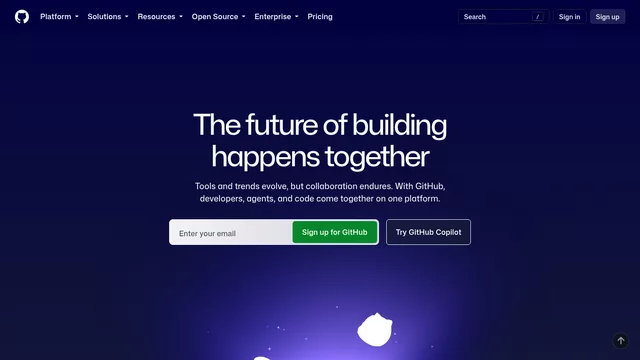
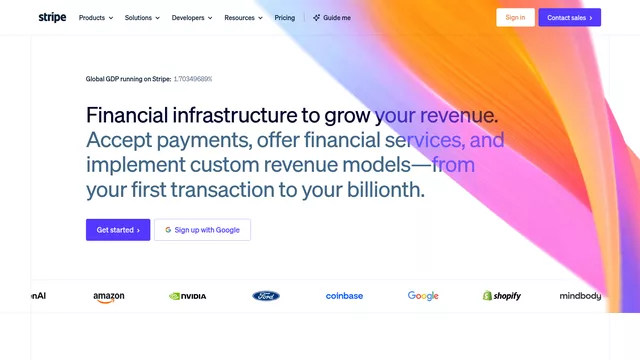
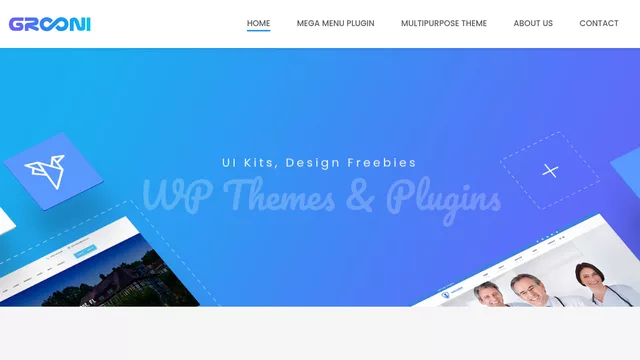
Free creates automatic previews for your first 20 bookmarks. Every bookmark still works after that, and you can add your own covers. PRO makes the whole library visual automatically. Explore the visual speed dial for Chrome
Groovy works with the hierarchy already stored in your browser. Pin several folders into one visual Home, drop bookmarks directly into visible subfolders, or drag folders to change their position and nesting.
Change tile proportions and the number of tiles per row, then drag bookmarks into the order you want. The grid updates immediately and remembers the result.
A sticky note can live anywhere in the bookmark workspace or on one exact bookmark. Turn it into a task, find it later in All Notes, and start a focus timer only when you need one.
Attach a colored note to a tile and reopen it from the corner marker.
See every note together with its folder and exact linked page.
Start a timer from a note when useful; it keeps running after Groovy closes.
Search it by meaning, see what is inside, play its video, read its PDF, move it, annotate it, or give it a focused block of time.
Search titles, domains, URLs, and folder paths across thousands of bookmarks.
Find related pages by meaning, even when your query does not match the title.
OpenRouter proposes existing folders; nothing moves until you approve it.
Move bookmarks into visible subfolders, nest folders, or change their real browser order.
Select with Ctrl or Shift, move a group, or delete with a deliberate slider confirmation.
Add a 4×4 pattern or full password to an existing browser folder. Groovy locks it again after you leave.
Keep sensitive titles and URLs in separate encrypted local storage, outside the browser bookmark manager.
Require confirmation or a password before bookmarks, folders, or private links can be removed.
Save the visible page as a local cover after login or CAPTCHA, then remove it at any time.
Recognized video links open in Groovy's own modal, then minimize into a compact resizable player.
Read text from the first page, or render the page when the document is a scan.
Google result bookmarks become readable query tiles instead of CAPTCHA screenshots.
Google, Yandex, DuckDuckGo, Bing, ChatGPT, Perplexity, voice, or a custom provider.
Choose Thum.io, WordPress mShots, or connect a provider with a URL template.
English, Russian, Spanish, German, French, Portuguese, Italian, Turkish, Chinese, and Japanese.
Find bookmarks by meaning, or ask AI to recommend the best existing folder for selected pages. Review every suggestion; nothing moves until you approve it. Explore the Chrome organization workflow
Type what it was about. The exact words do not have to match the saved title.
Drop a tile or selected group onto a visible subfolder, or drag folders to change the actual browser hierarchy.
OpenRouter can recommend one of your existing folders for selected bookmarks. Nothing moves until you say so.
Describe what you remember. Groovy searches the saved page content, not only its title or URL.

“…evening light, daily habits and better sleep quality…”
Search queries stay readable, PDFs reveal their first page, and video bookmarks can play without making you leave Groovy.
▶YouTube ▶VK Video
New Tab is the page opened by Ctrl/Cmd+T — not your browser’s startup or home page. Chrome, Edge, and Firefox support the Groovy New Tab edition. Opera and Yandex Browser use Toolbar mode, which leaves their Start Page or New Tab unchanged. Choose the edition when you install it. You cannot switch editions inside the extension.
Open a New Tab and Groovy is already there. Open another one and the same visual bookmark Home appears again.
Supported by Chrome, Edge, and Firefox · toolbar access is includedExplore the New Tab editionKeep your usual New Tab. Open Groovy Bookmark Manager from any page and start a Pomodoro; its countdown stays on the toolbar icon and finishes with sound and a browser notification.
Available in every supported browser · the only available mode in Yandex BrowserCompare Chrome bookmark managementLock an existing browser folder when you want quick privacy inside Groovy. Use Private Vault when the links themselves should stay outside the browser bookmark manager.
Add a pattern or full password to a folder you already use. Groovy locks it again whenever you leave and reopen it.
The folder remains available in the browser's native bookmark manager.Keep sensitive link titles and URLs in a separate encrypted space stored locally inside Groovy.
Private Vault links do not appear among normal browser bookmarks.Require a password before bookmarks, folders, or encrypted Vault links can be removed. Folder deletion also has a separate confirmation step.
Free remains a complete bookmark manager. PRO makes the full collection visual, unlocks AI workflows, removes widget limits, and includes every browser edition.
Early Access · direct browser packages
Annual membership · renews yearly until cancelled · taxes calculated at checkout
Groovy works with the bookmarks already saved in your browser.
Browser bookmarksRead and edited directly in your browser
LOCALCovers, notes and settingsStored on this device
LOCALPrivate VaultEncrypted titles and URLs stored separately by Groovy
PROWebsite previews use the provider you select. AI runs only when you start an AI action.
There is no separate Grooni bookmark library and no required cloud migration. External services are contacted only for the preview or AI action you explicitly enable.
Choose the edition when you install it. In Chrome and Edge, the New Tab package replaces New Tab and also opens from the toolbar, while the Toolbar package changes nothing in New Tab. Browsers declare a New Tab replacement in the extension manifest, so it cannot be turned on or off later with an in-app switch.
No. Groovy Bookmark Manager reads and manages the bookmarks already stored in the browser through the Bookmarks API. There is no duplicate Grooni cloud library.
Yes. Groovy uses the browser Bookmarks API to move real bookmarks and folders. The new folder, nesting, and order are also visible in the browser's native bookmark manager. Private Vault is separate and does not appear there.
Folder Lock protects access to an existing browser folder inside Groovy, but that folder remains visible in the browser's native bookmark manager. Private Vault stores sensitive link titles and URLs separately in encrypted local extension storage, so they do not appear among normal browser bookmarks.
Bookmarks, folders, standard search, themes, layout, editing and your own covers keep working after the first 20 automatic previews. PRO unlocks unlimited previews, semantic search, AI folder suggestions and unlimited widgets.
Some sites show a CAPTCHA, require sign-in, or block screenshot services, so no usable automatic preview can be created. Open the bookmark until the page you want is visible. Then right-click the Groovy Bookmark Manager icon in the browser toolbar and choose 📸 Save this page as a bookmark preview. Groovy saves the visible tab locally and uses it as that bookmark’s cover.
No. Page-content indexing starts only when you run it and grant website access. During Early Access you can connect your own OpenRouter key; managed Groovy AI with a fair-use allowance is planned as a PRO update.
Yes. A browser alarm keeps the deadline, updates the toolbar badge, and shows a notification with sound when the interval ends.
Chrome, Edge, and Firefox receive both editions: New Tab + Toolbar, or Toolbar only. Opera and Yandex Browser use the Toolbar edition, which keeps their Start Page or New Tab unchanged. Safari requires its own packaged Safari Web Extension and App Store release; it is planned separately.
After checkout, you receive the customer files and a license key. One membership includes every supported browser edition and up to three active installations, so you can change browser or launch mode without buying PRO again.
$29 is billed once a year, plus applicable tax. You can cancel renewal at any time. PRO access and updates continue while the membership is active.
Every bookmark visual, searchable, organized, and ready for the task attached to it.